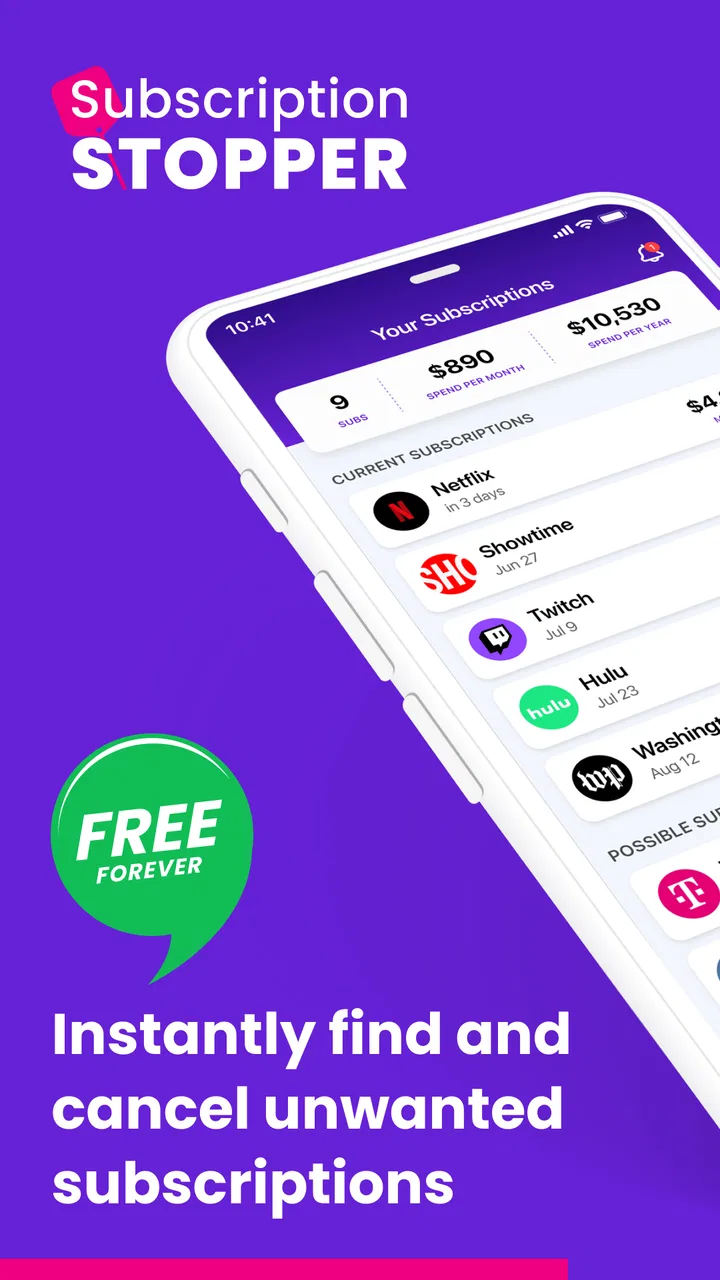
Subscription Stopper & Manager
- 3.9
- Rating
- 100.00K
- Installs
- Free
- Price

 Analysis by App-foxy
I approached Subscription Stopper & Manager as a practical finance app rather than a full banking replacement. Its job is to help me keep track of recurring payments, notice subscriptions that are easy to forget, and make cancellation planning less scattered. That sounds simple, but it addresses a very familiar problem: small monthly charges can remain invisible when they are spread across entertainment, storage, fitness, software, and other services.
After using it, my impression is that its value depends less on constant interaction and more on whether I am willing to build a complete picture of my recurring spending. The app is free to install, aimed at Everyone, and developed by InMarket Media, LLC. It has reached over one hundred thousand installs, with an average rating of 3.9 from roughly three thousand six hundred ratings, so it has a meaningful user base without being one of the biggest finance tools on the platform.
How the app feels during everyday use
I found that the app’s everyday value comes from making recurring costs easier to review, not from removing the need to manage them. I’d use a quiet moment to check the list and decide what deserves attention, rather than treating it like a live account dashboard. That distinction matters most when I’m considering what information to enter and how much responsibility to place on any one organizer.
You May Also Like

 Blood Strike: 2.5 Anniversary
Blood Strike’s Loadouts Turn Every Drop Into a Tactical Gamble
A close look at Blood Strike’s custom loadouts: how fast access to signature weapons reshapes its battle royale rhythm, rewards preparation, and narrows the gap between fights.

 Pandora - Music & Podcasts
Pandora’s Music Is Easy to Start, but Harder to Recover
Pandora’s strength is its low-effort path from a seed to a station. Its weak spot is how much confidence it asks you to place in connection, setup, and quiet recovery.

 8 Ball Pool
 Is Built on Rivalries, Rematches, and Routine
A close look at the rivalries, rematches, shared routines, and unanswered safety questions that turn a quick pool match into a persistent mobile community.

 Samsung Music
’s Quiet Strength Is Playing What You Already Own
Its reach comes less from spectacle than from dependable access to a personal library. That simplicity is both the app’s strongest retention engine and its ceiling.

 AccuWeather: Weather Radar
AccuWeather Review: A Quick, Clear Forecast for Everyday Decisions
For everyday plans, the best forecast is the one you can understand quickly. AccuWeather makes rain timing, radar, and local conditions easy to act on, with a few trade-offs.

 Hill Climb Racing
Why Hill Climb Racing Still Turns Crashes Into One More Run
A tiny car, a bumpy hill and one more upgrade: Hill Climb Racing keeps resurfacing because its simple chaos makes every near-miss feel personal.
More From Our News Desk



A quick start, but not an instant financial overview
The first thing I noticed is that a subscription manager only becomes useful after I give it enough information to work with. Opening the app is not the same as immediately understanding my finances. The real starting point is reviewing recurring charges, identifying which ones are still relevant, and separating essential services from memberships I barely use.
That makes the perceived speed slightly different from the speed of a calculator or a simple expense notebook. The interface can feel responsive while I move around, but the useful result comes from the quality of my setup. If I rush through the process and forget a service, the app cannot compensate for that missing detail. I found it more effective to treat the first session as a short financial inventory rather than a quick glance.
For a new user, I would recommend beginning with recent bank or card activity outside the app and writing down every recurring payment found there. This workflow is more reliable than trying to remember subscriptions from memory. It also gives the app a clear purpose: instead of casually browsing, I am using it to verify an existing list and keep that list organized.
The store describes it as a bill tracker and budget planner, but I would not confuse it with a complete personal finance suite. Its strongest identity is subscription control. That focus helps it feel less overwhelming than an app trying to manage investments, credit scores, detailed accounting, and household budgeting all at once.
What happens when the subscription list gets busy
The app becomes more valuable when several recurring charges compete for attention. A person with only one or two subscriptions may find a basic note on their phone sufficient. Someone paying for multiple digital services, annual memberships, trial conversions, and household accounts has a stronger reason to use a dedicated organizer.
In a heavier-use session, I would expect the main friction to come from reviewing information rather than demanding graphics or complicated calculations. The task is mentally dense: I need to confirm names, renewal timing, amounts, and whether each service still earns its place. A clean list can reduce that burden, but it cannot remove the decisions themselves.
One useful approach is to review the list in groups. I would first look at entertainment, then software and storage, then memberships and other recurring bills. This prevents the familiar mistake of cancelling several small services while overlooking one expensive commitment. It also makes the budget view more meaningful because I can see which category is quietly expanding.
Another practical workflow is to use the app before a move, job change, or major household adjustment. Recurring payments often survive transitions because they are attached to old email addresses, cards, or routines. A deliberate review at that moment can reveal charges that no longer match my current life. That is a more realistic benefit than expecting the app to save money automatically.
Stability matters more than flashy extras here
For this kind of tool, reliability means being able to return to the same organized information without losing confidence in it. I want the subscription list, notes, and planning decisions to remain understandable when I revisit them weeks later. A finance app does not need elaborate visual effects; it needs to make routine checking feel safe and predictable.
The current version is 2.0.8, which suggests the product has moved beyond its earliest release. It was released on April 14, 2023, and the version history available through the app experience gives it the feel of an actively maintained product rather than a one-screen experiment. Still, I would keep my own confirmation habits. Before cancelling an important service, I would verify the provider’s account page and cancellation terms directly.
That last step is important because tracking a subscription and cancelling it are not always the same thing. A manager can help me remember what I intended to stop, but the service provider remains the final authority on renewal status, access after cancellation, refunds, and account ownership. I would use this app as the planning and reminder layer, not as my only proof that a charge has ended.
Recovery is also part of reliability. If I stop using the app for a month, I should be able to return and understand my list without rebuilding my entire system. The best way to support that is to keep entries clear and avoid relying on vague labels. “Cloud storage” is less useful than a precise service name and a note about which account it belongs to.
Older phones and practical device limits
The minimum operating system is Android 7.0, so the app is accessible to people using older compatible Android devices. That is helpful for anyone who does not upgrade phones frequently. It also means the app is not restricted to the newest hardware, at least at the operating-system level.
I would still separate compatibility from comfort. An older phone may run a finance organizer perfectly well for ordinary list management, but limited storage, aggressive background restrictions, or a crowded device can affect the overall experience of any app. Since this is not a game or a media editor, its everyday workload should be modest, but I would not expect it to transform an outdated phone into a modern budgeting workstation.
Resource demands are best judged by the type of work involved. Subscription records and budget planning are lighter tasks than video editing, navigation, or 3D gaming. That makes the app a reasonable fit for a secondary phone or a device used mainly for communication and essential utilities. The more important constraint is screen space: entering and comparing many recurring charges may feel slower on a small display than on a larger phone.
I would also avoid making a device decision based only on the app. If my phone is unreliable, frequently offline, or difficult to secure, I would prioritize the device problem first. Financial organization depends on careful attention, and a frustrating handset can make even a well-designed utility feel untrustworthy.
Where it fits beside ordinary alternatives
The usual alternative is a spreadsheet. A spreadsheet gives me more control over formulas, custom categories, yearly projections, and shared household planning. It is the better choice if I enjoy building my own system or need detailed reporting. Its weakness is maintenance: I must design the structure, remember to update it, and decide how to represent cancellations and renewals.
A notes app is faster for a tiny list. I can write down a service, an amount, and a renewal date in seconds. That works until the list grows, dates become inconsistent, or I want to compare the total effect of several subscriptions. Subscription Stopper & Manager earns its place by giving this particular problem more structure than a note without asking me to engineer a spreadsheet.
Banking apps can show recurring transactions, but they often present them as part of a much larger financial picture. That is useful for checking actual charges, yet it may not be the clearest way to think about future renewals or services I intend to cancel. I see this app as complementary: the bank confirms what happened, while the subscription manager helps me decide what should happen next.
Dedicated budgeting platforms may be stronger for household accounts, long-term goals, debt planning, and detailed cash-flow analysis. If I need those functions, choosing a broader finance platform would make more sense. This app is a better fit when the immediate problem is subscription clutter rather than complete financial management.
Costs, upgrades, and the value question
The app is free, which lowers the barrier to testing it with a real list of recurring payments. In-app purchases range from $5.99 to $99.00 per item, so I would pay attention to the upgrade screen and understand exactly what an optional purchase adds before committing. The wide range makes it especially important not to assume that every useful function is included in the free experience or that every paid option suits every user.
My advice is to begin with the free version and judge it against one concrete goal: can it help me identify and act on forgotten subscriptions? If it does, I can then decide whether a paid option is justified by the time saved or the additional planning control. I would not pay simply because the app has a finance label. A subscription manager should earn its cost through regular usefulness.
There is also a behavioral trade-off. Paying for a tool intended to reduce recurring spending can feel counterproductive, especially for someone with only a few subscriptions. On the other hand, a person who repeatedly forgets renewals may reasonably view a paid upgrade as a small organizational expense. The right answer depends on whether the app changes my habits, not on the presence of premium choices alone.
A realistic monthly review routine
Imagine I notice that my card statement contains several charges I recognize individually but have never considered together. I open the app, compare those services with my current list, and mark the ones I still use. Then I separate annual commitments from monthly ones, because an annual renewal can be easy to underestimate when I think only in monthly terms.
Next, I would choose one action per service: keep, investigate, downgrade through the provider, or cancel. The important insight is to avoid using the app as a passive catalogue. A list that never leads to a decision becomes another place for clutter. I would set aside a short review session before the next billing cycle and confirm completed cancellations in the provider accounts.
This routine also helps with shared expenses. If a family member uses a service, the decision is not simply “cancel or keep.” I may need to check whether the account is shared, whether another plan would cover the same need, or whether cancelling would remove access for someone else. The app can organize the conversation, but it cannot make that household judgment for me.
Who will appreciate it, and who should skip it
I think it is a good match for people who have accumulated digital subscriptions and want one focused place to review them. It is also useful for users who dislike spreadsheets but still want more structure than a handwritten reminder. Anyone preparing for a tighter budget can benefit from seeing recurring commitments as a group instead of reacting to each charge separately.
It is less suitable for someone who expects automatic, complete financial analysis without any personal checking. It is also not my first recommendation for a user who needs investment tracking, debt payoff modeling, detailed shared budgets, or professional bookkeeping. In those cases, a broader finance platform or a carefully built spreadsheet would provide more depth.
I would also skip it if my subscription habits are extremely simple. If I have only one or two services and already check them directly, adding another layer may create more maintenance than value. The app makes sense when organization is the problem; it is unnecessary when there is nothing difficult to organize.
My performance verdict after weighing the trade-offs
Subscription Stopper & Manager feels best when I use it as a focused review tool rather than a magical cancellation button. Its likely performance advantage is practical: the workload is centered on records, planning, and recurring expenses, not demanding media or graphics. That makes it a sensible utility for compatible Android phones, including older devices, while the real test remains whether the information stays accurate and actionable.
The strongest insight I took away is that subscription control is a process. First I discover charges through statements and memory, then I organize them here, and finally I verify changes with each provider. Skipping the first or last step weakens the result. Used in that complete workflow, the app can turn vague financial anxiety into a manageable monthly checklist.
My overall recommendation is cautious but positive. The free entry point makes it easy to see whether the focused approach suits me, and the 3.9 average from around three thousand six hundred ratings reflects a useful but not universally perfect experience. I would recommend trying it to anyone whose recurring charges feel scattered, while steering detail-oriented budgeters toward a broader tool.
In short, this is a practical finance app for bringing forgotten subscriptions into view. It will not replace my bank, my provider accounts, or my own judgment, but it can give those activities a clearer order. If the goal is to find recurring spending and make deliberate decisions about it, this focused organizer is worth testing before paying for anything extra.
FAQs for Subscription Stopper & Manager
01What is Subscription Stopper & Manager used for?
Subscription Stopper & Manager is designed to help you organize and monitor recurring subscriptions in one place. You can record services such as streaming platforms, memberships, software plans, and other regular payments, then review their prices, billing dates, and renewal schedules. It is useful for identifying forgotten subscriptions and keeping monthly or yearly spending easier to understand.
02Does Subscription Stopper & Manager automatically cancel my subscriptions?
The app should not be treated as a universal automatic cancellation service. In most cases, it helps you track subscriptions and may provide guidance or reminders about cancellation, but the actual cancellation normally has to be completed through the provider, App Store, Google Play, bank, or service website where the subscription was purchased. Always confirm the cancellation directly with the provider.
03Can I track subscriptions from both Android and iOS services?
You can generally use Subscription Stopper & Manager to keep a personal list of subscriptions from different companies, regardless of whether they are billed through Android, iOS, a website, or another payment provider. However, manually checking the original account is important because the app may not have access to every billing detail, renewal rule, trial period, or subscription purchased outside its supported integrations.
04Is my subscription and payment information safe in the app?
Before entering sensitive information, review the app’s privacy policy, permissions, developer details, and data-handling practices in the official store listing. A subscription manager may only need service names, prices, and renewal dates, but users should avoid storing passwords, complete card numbers, or unnecessary financial details. Use a strong device lock and keep the application updated for better security.
05Is Subscription Stopper & Manager free to download and use?
The availability of free features, premium tools, advertisements, and in-app purchases can vary depending on the version and platform. Check the official Google Play or App Store listing before downloading to see the current pricing, trial conditions, and subscription terms. If a premium plan is offered, pay close attention to its renewal frequency and cancellation instructions before starting a trial.
Pros
- Tracks recurring subscriptions in one organized dashboard.
- Helps identify forgotten services and potential monthly savings.
- Provides renewal reminders before upcoming charges.
- Simple interface makes subscription monitoring easy.
- Useful overview of spending across different subscription services.
Cons
- May require manual entry for subscriptions not detected automatically.
- Some features may be limited behind a paid plan.
- Bank or account integration availability can vary by region.
- Reminder accuracy depends on correctly entered billing dates.
- Privacy-conscious users may hesitate to connect financial accounts.

Subscription Stopper & Manager
Gallery